
Choosing a desktop 3D scanner comes down to more than resolution on a spec sheet. The best option depends on the size of your objects, the level of detail you need, and how much setup time you want to spend.
In this roundup, we focus on scanners that make sense for practical desktop workflows, from hobby 3D printing to detailed object capture and reverse engineering.
Best 10 Desktop 3d Scanner Picks for 2026
Best for Detail-Focused Scanning

- Dual-mode scanning for speed or precision
- Sub-0.1 mm accuracy in Fixed Scan mode
- Simple software with auto calibration
Best For: Makers and small studios that want accurate tabletop scans for 3D printing and modeling.
Best for Industrial Accuracy
Revopoint MetroY Pro 3D Scanner

- Up to 0.01 mm precision for detail-heavy work
- Multiple scan modes for holes, turntables, and full-field capture
- Wi‑Fi 6 and real-time preview improve workflow
Best For: Engineers and makers who need highly precise scans for reverse engineering and 3D printing.
Best for Shaky Hands
Creality CR-Ferret SE 3D Scanner
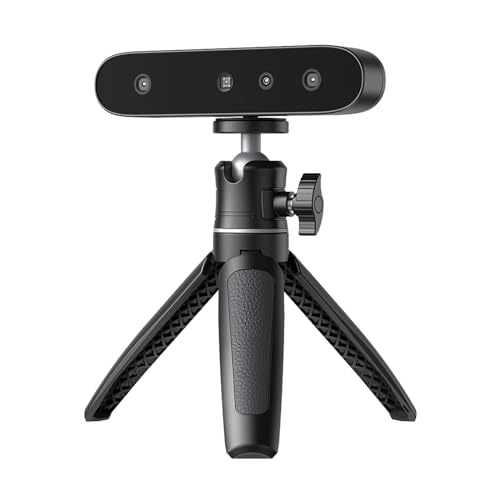
- Anti-shake tracking improves scan stability
- Handles black and metal objects without spray
- 24-bit color scanning adds texture detail
Best For: Beginners and small teams scanning tricky surfaces on a PC.
Best for Portable Color Scanning
Revopoint POP 3 Plus 3D Scanner
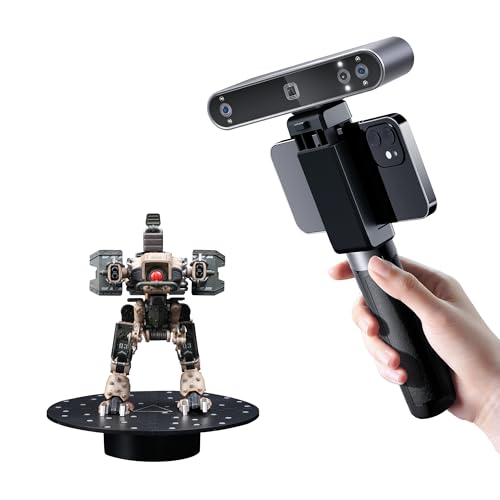
- 20-micron accuracy with optical zoom detail capture
- Full-color scanning with RGB camera and infrared light
- Lightweight 190g body with USB-C and Wi-Fi 6 support
Best For: Creators and makers who want a portable scanner for detailed full-color captures and 3D printing workflows.
Best for Black Metal Objects
Creality CR-Ferret SE 3D Scanner

- 0.1mm accuracy and 30FPS scanning
- Anti-shake tracking improves scan stability
- Color capture and black/metal object support
Best For: Makers and beginners scanning dark, reflective, or textured objects with less prep.
Best for Wireless Scanning
Revopoint INSPIRE 2 3D Scanner

- Dual structured light and laser modes
- Wireless WiFi 6 scanning and streaming
- Up to 0.03 mm precision with color capture
Best For: Makers and small studios wanting a portable, versatile scanner for mixed indoor and outdoor work.
Best for High-Detail Scanning

- Up to 0.02mm claimed accuracy for fine-detail capture
- Handles black, metallic, and some transparent surfaces without powder
- Scans tiny parts up to full-body and large objects
Best For: Engineers, designers, and advanced makers who need a fast, versatile scanner for detailed work.
Best for Industrial Detail
Revopoint MetroY Ultra Laser 3D Scanner

- 0.01 mm single-frame precision
- Handles dark, shiny, and metallic surfaces
- Five modes for fast scans, holes, and turntable use
Best For: Engineers and makers who need accurate scans of small-to-medium industrial parts.
Best Heavy-Duty Pick

- Wi-Fi 6 wireless scanning on Windows, Android, and iOS
- 0.1mm accuracy with 24-bit full-color capture
- Lightweight 105g body with included travel-friendly accessories
Best For: DIY creators and beginners who want a portable wireless scanner for medium-sized objects.
Best for Precision Scanning
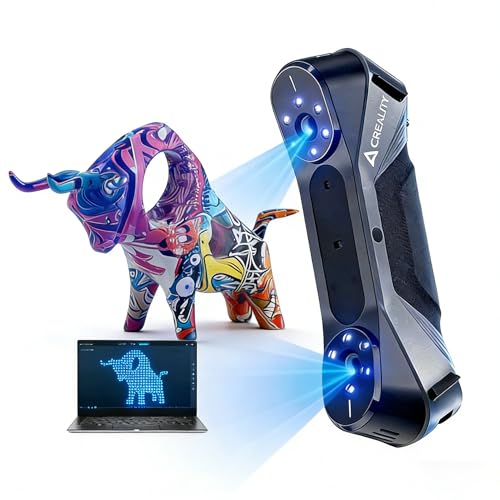
- 0.02mm claimed accuracy for fine-detail work
- Blue laser and structured light scanning modes
- 24-bit color capture for textured objects
Best For: Makers and engineers who need detailed scans for 3D printing and part reproduction.
Best for Detail-Focused Scanning – EinScan SE Desktop 3D Scanner
If you want a desktop 3d scanner that prioritizes accuracy over convenience features, the EinScan SE v2 is built for small-to-mid-size objects with strong detail capture. Its dual-mode workflow gives you a fast Auto Scan option for simple jobs and a Fixed Scan mode for more precise captures, making it a practical pick for 3D printing, product modeling, and miniature scanning.
Best For: Makers, designers, and small studios that need a reliable desktop scanner for detailed object capture and 3D-print-ready models.
Pros:
- Dual scan modes for faster capture or higher-detail results
- Advertised sub-0.1 mm accuracy in Fixed Scan mode
- Easy-start software with automatic calibration and one-click scanning
- Good fit for small objects, prototypes, and miniature workflows
Cons:
- Not ideal if you need a fully portable handheld workflow
- Best performance is geared toward smaller objects rather than large items
- Review history is modest compared with more established options
Overall, this desktop 3d scanner makes the most sense if your priority is accurate, repeatable scans for 3D printing or digital modeling. It’s less about all-purpose versatility and more about delivering clean results from a compact tabletop setup.
Best for Industrial Accuracy – Revopoint MetroY Pro 3D Scanner
If you need a desktop 3d scanner that can also handle handheld jobs, the Revopoint MetroY Pro is built for precision-first workflows. Its blue laser and structured-light modes are aimed at reverse engineering, metrology, and 3D printing projects where detail and repeatability matter more than raw convenience.
Best For: Makers, engineers, and small studios that need high-accuracy scans of parts, objects, and complex surfaces.
Pros:
- Up to 0.01 mm precision and 0.02 mm accuracy for detail-focused scanning
- Multiple modes cover everything from deep holes to fast full-field captures
- No scanning spray needed on shiny or dark surfaces in laser modes
- Wi‑Fi 6, real-time preview, and auto turntable support simplify workflow
Cons:
- Windows-only premium software tools are sold separately
- High system requirements may rule out older PCs
- More than enough for casual users who only need basic scans
For buyers comparing a desktop 3d scanner, the MetroY Pro stands out when accuracy, surface versatility, and professional software integration matter most. It is a strong fit for users who want near-metrology-level results without moving into a full industrial lab setup.
Best for Shaky Hands – Creality CR-Ferret SE 3D Scanner
If you want a desktop 3d scanner that stays usable even when your hands aren’t perfectly steady, the Creality CR-Ferret SE is built around anti-shake tracking and easy one-click scanning. It’s a practical pick for beginners and small studios that need accurate captures of dark, black, or metal objects without spraying.
Best For: Users who want a compact PC-only scanner for fast, steady scans of mixed materials, including black and metallic surfaces.
Pros:
- Anti-shake tech helps maintain scan stability and reduce missed frames
- Scans black and metal objects without scanning spray
- 24-bit color capture adds useful texture detail for full-color models
- Lightweight 105g design makes it easy to move and set up
Cons:
- PC scanning only; no mobile support on this model
- Does not include a battery handle
- Best results depend on meeting the Windows system requirements
For buyers prioritizing stable capture over wireless convenience, this desktop 3d scanner hits a strong middle ground: approachable to use, more forgiving on shaky scans, and capable of handling tricky materials that many entry-level scanners struggle with.
Best for Portable Color Scanning – Revopoint POP 3 Plus 3D Scanner
If you need a desktop 3d scanner that can also move easily between workstations, the Revopoint POP 3 Plus offers a strong mix of portability, color capture, and fine-detail scanning. It’s a practical choice for medium-sized objects, with enough flexibility for 3D printing, reverse engineering, and content creation.
Best For: Creators and makers who want a lightweight scanner for detailed full-color scans, portable use, and broad device compatibility.
Pros:
- Up to 20-micron accuracy with improved calibration and optical zoom detail capture
- Full-color scanning with RGB camera and eye-safe infrared light
- Works with Android, iOS, Windows, and macOS over USB-C or Wi-Fi 6
- Lightweight 190g design makes it easy to carry and set up
Cons:
- Software is limited to x86_64 systems, which may exclude some setups
- Better suited to medium objects than very large or very tiny parts
The POP 3 Plus stands out as a versatile desktop 3d scanner alternative for users who value portability without giving up color or precision. If you want a scanner that fits both creative workflows and practical object capture, it’s a compelling middle-ground pick.
Best for Black Metal Objects – Creality CR-Ferret SE 3D Scanner
If you need a desktop 3d scanner that can handle everyday modeling work without constant surface prep, the Creality CR-Ferret SE is a strong practical option. It combines 0.1mm accuracy, 30FPS scanning, and full-color capture with anti-shake tracking, making it easier to get usable scans of medium to large objects.
Best For: Makers and beginners who want a desktop 3d scanner for black, metal, and non-reflective objects with minimal setup.
Pros:
- Up to 0.1mm accuracy with 30FPS scanning for fast, detailed capture
- Anti-shake one-shot tracking helps maintain smoother scans
- Color camera captures textured, full-color models
- Handles black and metal objects without spray in many cases
Cons:
- Best results still depend on good technique and lighting
- Not the most compact option if you only scan small parts
- Accuracy claims may be more than casual users need
Overall, the CR-Ferret SE stands out as a versatile desktop 3d scanner for users who want smoother tracking and less prep work on difficult surfaces. If your workflow includes black plastics, metal finishes, or colorful objects, it offers a solid mix of convenience and scan quality.
Best for Wireless Scanning – Revopoint INSPIRE 2 3D Scanner
The Revopoint INSPIRE 2 is a strong pick if you want a desktop 3d scanner that can also move beyond the desk. It combines structured light and multi-line laser modes, wireless WiFi 6 streaming, and full-color capture, making it easier to scan different object types for 3D printing, reverse engineering, and digital archiving.
Best For: Makers and small studios that need a portable scanner with flexible modes, decent accuracy, and wireless workflow options.
Pros:
- Dual scanning modules help it handle a wider range of materials, sizes, and surfaces.
- Up to 0.03 mm precision and advanced calibration support detailed, repeatable scans.
- Wireless scanning and PC-to-mobile streaming add convenience for remote or mobile use.
- Lightweight design and outdoor support make it more versatile than many desk-bound scanners.
Cons:
- Revo Design is sold separately and only supports Windows.
- Best performance depends on a fairly capable computer or mobile device.
- Not the simplest choice for absolute beginners who want one-button scanning.
For buyers comparing a desktop 3d scanner, the INSPIRE 2 stands out for its mix of portability, color capture, and surface flexibility. It is especially appealing if you want one scanner that can cover both studio work and occasional on-site scans without giving up useful detail.
Best for High-Detail Scanning – Creality CR-Scan Raptor Pro
If you need a desktop 3d scanner that can handle demanding scans without constant spray powder or repeated rescans, the Creality CR-Scan Raptor Pro is built for serious detail work. Its blue-laser and NIR setup makes it a strong fit for large parts, tricky materials, and users who want a fast path into professional 3D workflows.
Best For: Makers, designers, and engineers who need a versatile scanner for both small parts and large objects, especially when surface texture or material reflectivity would challenge simpler models.
Pros:
- Very high claimed accuracy, with laser speed up to 60 fps and strong point capture for fine detail
- Scans black, metallic, and partially transparent surfaces without needing powder in many cases
- Covers an extremely wide size range, from tiny objects to full-body and large industrial items
- 24-bit color capture and software compatibility with popular 3D tools help streamline post-processing
Cons:
- Price and capability level make it more suitable for advanced users than casual hobbyists
- Best performance depends on a strong computer, especially on Windows workflows
- Wireless and outdoor use are supported, but optimal results still favor a controlled scanning setup
Overall, the CR-Scan Raptor Pro stands out as a high-end desktop 3d scanner for users who need speed, material flexibility, and professional-grade accuracy in one portable system.
Best for Industrial Detail – Revopoint MetroY Ultra Laser 3D Scanner
If you need a desktop 3d scanner for tight-tolerance parts, the Revopoint MetroY Ultra is built for detail-heavy work rather than casual hobby scanning. Its blue laser modes, strong accuracy claims, and support for dark or shiny surfaces make it a practical choice for reverse engineering, inspection, and small-to-medium part capture.
Best For: Engineers, makers, and inspection workflows that need high-detail scans of mechanical parts, including reflective or black surfaces.
Pros:
- Up to 0.01 mm single-frame precision for fine geometric detail
- Five scan modes cover fast capture, deep holes, marker-free scanning, and turntable work
- Scans black, glossy, and metallic parts without spray
- Wireless Wi-Fi 6 support and battery grip improve field flexibility
Cons:
- Performance depends on a fairly powerful PC or Mac setup
- Less suited to large-object scanning than dedicated broad-area systems
- Higher-end features may be more than casual users need
For buyers who want a desktop 3d scanner with serious measurement-focused capability, the MetroY Ultra stands out for precision, speed, and surface versatility. It’s a strong fit when accuracy matters more than keeping the workflow simple or inexpensive.
Best Heavy-Duty Pick – Creality CR-Scan Ferret Pro
If you want a desktop 3d scanner that feels portable instead of lab-bound, the Creality CR-Scan Ferret Pro is built around easy setup, wireless scanning, and full-color capture. It’s a practical pick for beginners and hobbyists who need flexible use across PC, Android, and iPhone without getting locked into one workflow.
Best For: DIY creators, 3D printing users, and beginners who want a wireless handheld scanner for medium-sized objects.
Pros:
- Built-in Wi-Fi 6 support enables wireless scanning on Windows, Android, and iOS.
- Up to 0.1mm accuracy with 24-bit full-color output for detailed models.
- Lightweight 105g design makes it easy to carry and scan on the go.
- Includes useful accessories like a tripod, power bank, phone holder, and case.
Cons:
- Not ideal for very small or highly detailed items like jewelry or precision parts.
- Reflective, transparent, or very dark surfaces can be difficult to capture cleanly.
- Requires compatible hardware and software for the best results.
As a desktop 3d scanner alternative, the Ferret Pro stands out more for flexibility than raw studio-level precision, but that balance makes it appealing if you want a scanner that’s easy to live with and simple to move between devices. It’s a strong fit when convenience, color capture, and wireless operation matter most.
Best for Precision Scanning – Creality Raptor 3D Scanner
If you want a desktop 3d scanner-level result with handheld flexibility, the Creality Raptor is built around accuracy and speed. Its 0.02mm claimed precision, blue laser line mode, and full-color capture make it a strong option for users who need detailed scans of small parts, mechanical components, or textured objects.
Best For: Makers, engineers, and 3D printing users who want high-detail scans for parts, props, and reverse engineering.
Pros:
- Up to 0.02mm precision with blue laser and structured-light scanning modes
- Fast 60fps performance with anti-shake handling for smoother capture
- 24-bit color scanning helps preserve surface texture and appearance
- Works with Windows and macOS, with guided software for easier setup
Cons:
- Requires a fairly powerful computer to run well
- Handheld workflow may take practice for beginners
- Not the cheapest choice for casual scanning needs
For buyers comparing a desktop 3d scanner against a handheld system, the Raptor stands out most when precision and scan quality matter more than convenience. It’s a capable pick if you want serious detail for 3D printing and measurement-focused work.
How We Picked These Desktop 3d Scanner Options
We prioritized precision, ease of use, scan speed, tracking stability, color capture, and how well each Desktop 3d Scanner fits common home, maker, and small-studio workflows. We also favored models with flexible scan modes and broad object compatibility, since real-world use matters more than one impressive number.
Quick Comparison: What Matters Most
Some scanners in this list lean toward fixed desktop operation, which is useful for smaller objects and repeatable scans. Others are handheld systems that still work well in a desktop setup but offer more flexibility for larger parts, awkward shapes, or on-the-go scanning. If your main goal is 3D printing, look closely at accuracy and surface detail. If you need clean models for presentation or cataloging, color capture and tracking consistency become more important.
Key Buying Factors for a Desktop 3d Scanner
Accuracy and Precision
For miniatures, mechanical parts, and fit-critical work, higher precision helps preserve edges, holes, and surface features. If you are scanning decorative objects or general prototypes, moderate accuracy may be enough.
Scan Size and Object Type
Check whether the scanner handles small, medium, or larger items comfortably. A Desktop 3d Scanner is usually best for controlled indoor use, but the object size range still matters a lot.
Tracking and Stability
Stable tracking reduces rescans and cleanup. Anti-shake tools, structured light, or laser-based systems can improve consistency, especially on reflective or irregular surfaces.
Color Capture and Output Workflow
Full-color scanning is valuable for visual models, archiving, and product presentation. For printing workflows, geometry quality often matters more than color, but a smoother export process can save time either way.
Software and Learning Curve
Good software can be the difference between a scanner you use weekly and one that sits in a drawer. Look for clean alignment tools, easy mesh repair, and export formats that match your modeling or slicing software.
Who Should Buy Which Desktop 3d Scanner?
If you want the most straightforward desktop setup, choose a fixed or auto-scan model that emphasizes ease of use. If your work involves larger objects, varied surfaces, or frequent scanning outside a desk, a handheld laser scanner may be the smarter choice even if it is used in a desktop environment.
For 3D printing enthusiasts, prioritize accuracy and reliable geometry over extras. For designers, educators, and small businesses, balance precision with speed, software simplicity, and color capture so the scanner fits your everyday workflow.